
Now that flix has moved to a persistent NFS mount, the need to mount the flix_repo manually is gone, the server is now permanently mounted to your /Volumes/flix_repo/ folder on your computer.
To launch flix all that needs to be done is to click on the flix icon in your dock
If that icon is not already in your dock just click “go” from your menu bar in Finder
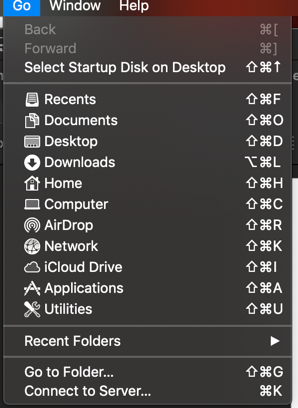
then “Go to Folder…” and typing the folder of /Volumes/flix_repo/flixApp/apps/osx/Flix/
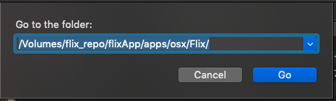
then double click the flix icon.

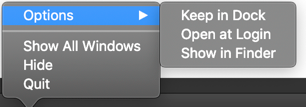
Make sure to right click that icon once it appears in your dock and select “Options” and “Keep in Dock” if the shortcut is not already there.
Comments
0 comments
Please sign in to leave a comment.